
How to Find Your First High-Value Automation Opportunity Before Adding Headcount
By Jayakarthikeyan Govindarajalu — AI & Automation Consultant, Giant Phoenix LLC

Most founders I speak with already have several ideas for using AI. The difficult part is not coming up with another idea; it is deciding which one is worth spending time and money on.
That is where automation projects often lose their way. A business may start with something highly visible, such as a chatbot, an AI assistant, or a new dashboard, because it feels innovative. Meanwhile, a much simpler problem may be costing the team hours every week: a report assembled by hand, invoices chased manually, or information copied between systems.
Those projects may not sound exciting, but they are often better places to start because the problem is easy to see and the result is easier to measure. Before discussing tools, I usually ask one question:
Which workflow is creating enough wasted time, delay, or frustration that improving it would genuinely matter to the business?
That is the question this article is designed to help answer.
Start with the workflow, not the AI
The gap between using AI and getting business value from it is already visible. McKinsey's 2026 State of AI report found that 80% of respondents said AI had improved their individual productivity, while only 37% reported a positive impact on EBIT, or earnings before interest and taxes.
That does not mean AI is failing. It means personal productivity gains do not automatically translate into better business performance. The workflow still matters: how work moves through the business, where people spend time, where delays happen, and where mistakes create cost.
McKinsey also found that redesigning workflows was much more common among organisations it classified as AI high performers than among other respondents. That does not prove workflow redesign causes better performance, but it supports a practical point: adding an AI tool is not the same as improving the way work gets done.
For a first automation project, I therefore use a simple two-stage approach. Stage 1 asks whether a workflow is suitable for automation. Stage 2 asks whether it is valuable enough to prioritise.
A workflow can be easy to automate but not worth much. Another can be very valuable but too messy, risky, or dependent on judgement to be a sensible first project. The aim is to find something useful enough to matter and controlled enough to improve safely.
Stage 1: Is this a good automation candidate?
I look for four signals. You do not need all four, and this is not a scientific scoring model. It is simply a practical way to decide which workflows deserve a closer look.
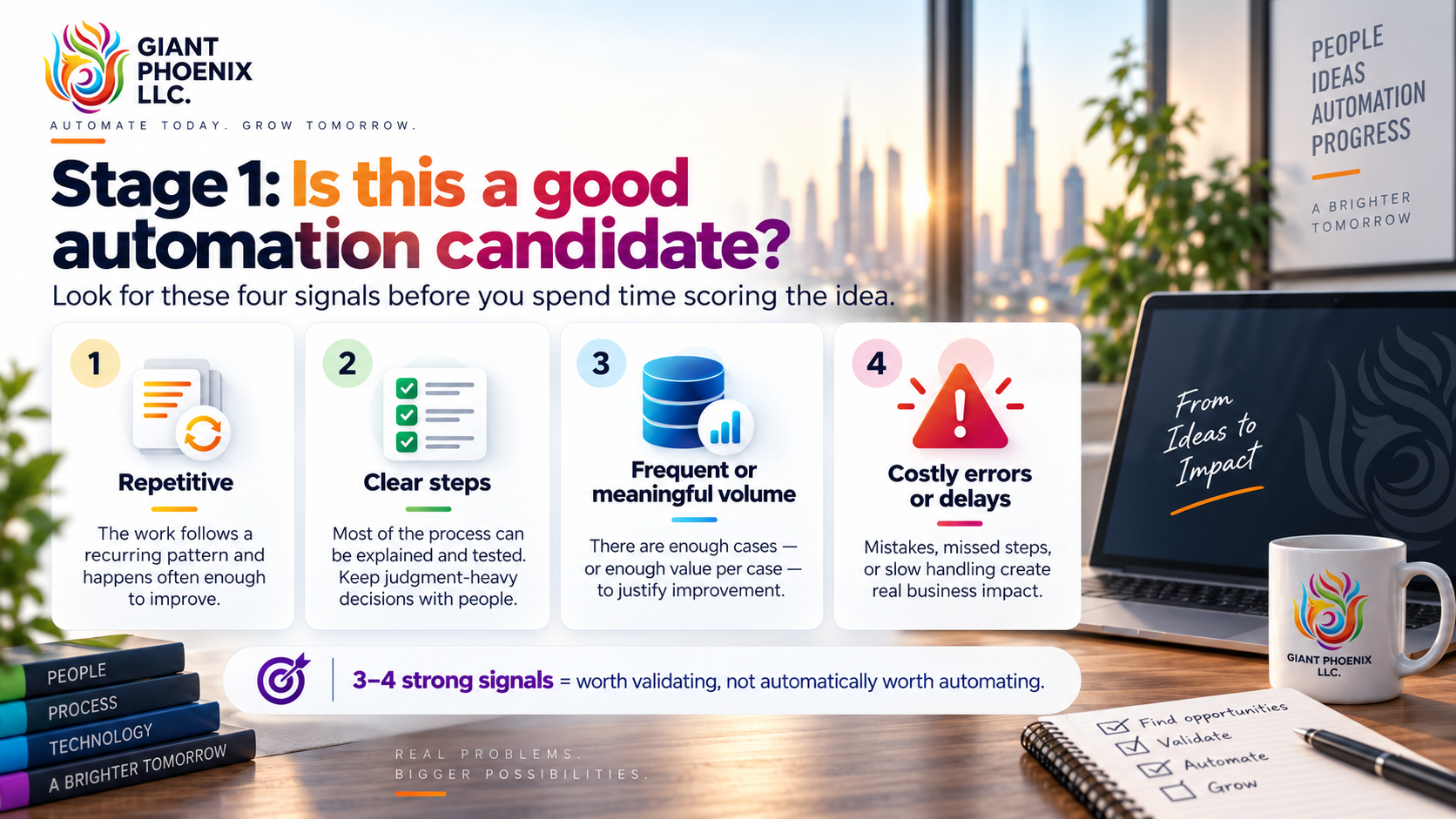
1. It happens repeatedly
Automation works best when the underlying process repeats in a reasonably consistent way. Preparing the same report every Friday, following up overdue invoices, copying order information into another system, or checking the same type of request against the same policy are all good examples.
A task that happens once or twice a year may still be important, but it is rarely the strongest first candidate because there are fewer opportunities to recover the cost of improving it.
2. The steps are reasonably clear
A useful test is to ask whether you could explain the process to a new employee as a checklist. If you can describe most of the steps clearly, automation has something stable to work with.
That does not mean every decision needs to be automated. A refund process, for example, may have clear checks around the order date, return window, and product eligibility. Deciding whether to make an exception for a long-term customer is different. The first part can be automated; the judgement call can remain with a person.
3. It happens often enough, or each case matters enough
High volume helps, but volume by itself is not the goal. A process can still be worth improving when the number of cases is small but each mistake or delay is expensive.
Ten payment exceptions a month may matter more than hundreds of low-value data entries if each exception affects cash flow. The better question is whether the workflow happens often enough, or carries enough value per case, to justify improving it.
4. Mistakes or delays have a real business cost
Some manual processes are inconvenient but harmless. Others cause real damage when a step is missed: the wrong shipment goes out, an invoice is not followed up, a customer waits too long for an answer, or an approval sits untouched for several days.
These workflows can be good candidates because the benefit is not only time saved. Better consistency, fewer omissions, and faster response can be just as valuable.
If a workflow looks strong on three or four of these signals, I would move it to the next stage. I would not automate it yet. I would simply investigate it further.
Stage 2: Is it valuable enough to prioritise?
Once you have a few suitable candidates, compare them on business value. I use four factors and score each one from 1 to 5.
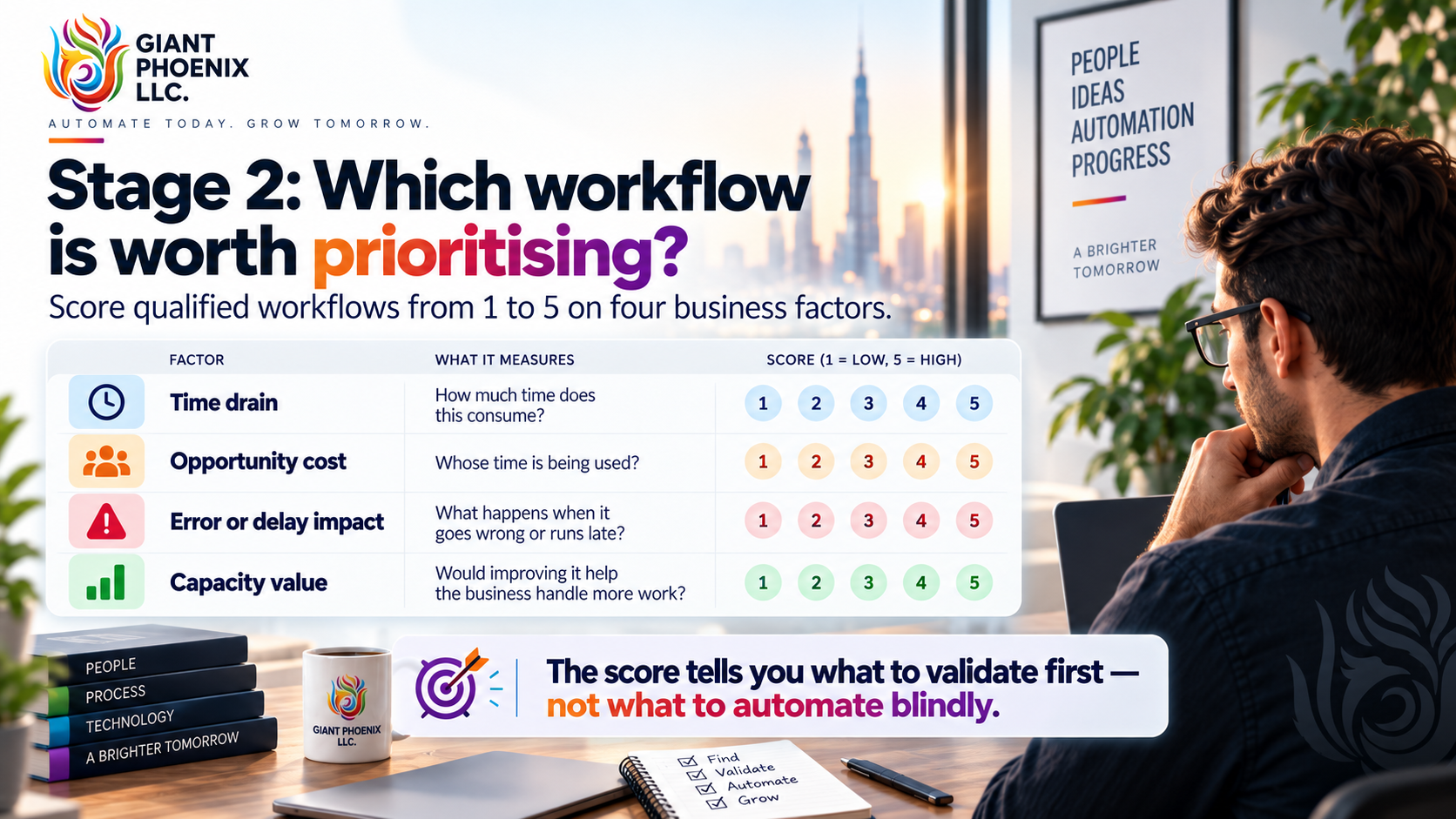
| Factor | Ask yourself | 1 = low | 5 = high |
|---|---|---|---|
| Time drain | How much time does this consume? | A few minutes | Many hours |
| Opportunity cost | Whose time is being used? | Routine administrative time | Founder, senior leader, or specialist time |
| Error or delay impact | What happens when it goes wrong or runs late? | Very little | Costly or customer-facing |
| Capacity value | Would improving it help the business handle more work? | Not really | Important to growth or stability |
Add the four scores. The highest-scoring workflow is not automatically the one to build; it is the first one I would validate.
That distinction matters. A score can tell you that a workflow is painful and valuable, but it cannot tell you whether the data is usable, the systems can connect, or the process has too many exceptions. The scoring simply helps you decide where to investigate first.
Before you build, check whether the idea is practical
A workflow can look excellent on paper and still be a poor first project. Before committing to anything, I would check a few basics:
- Can we access the required data reliably and legally?
- Do we know which systems are involved, and can they exchange information in a dependable way?
- Is the process stable enough to document?
- Do we understand the common exceptions?
- Is there a named person who owns the process?
- Can we measure the current situation so we know whether the automation improves it?
This feasibility check is important because a slightly lower-value workflow with clean data and a clear owner may be a much better first project than a theoretically valuable workflow that is difficult to control.
That is why I prefer the phrase validate first rather than automate now.
What does a simple automation actually look like?
You do not need to be technical to understand the basic structure. Most business automations can be explained in five parts:
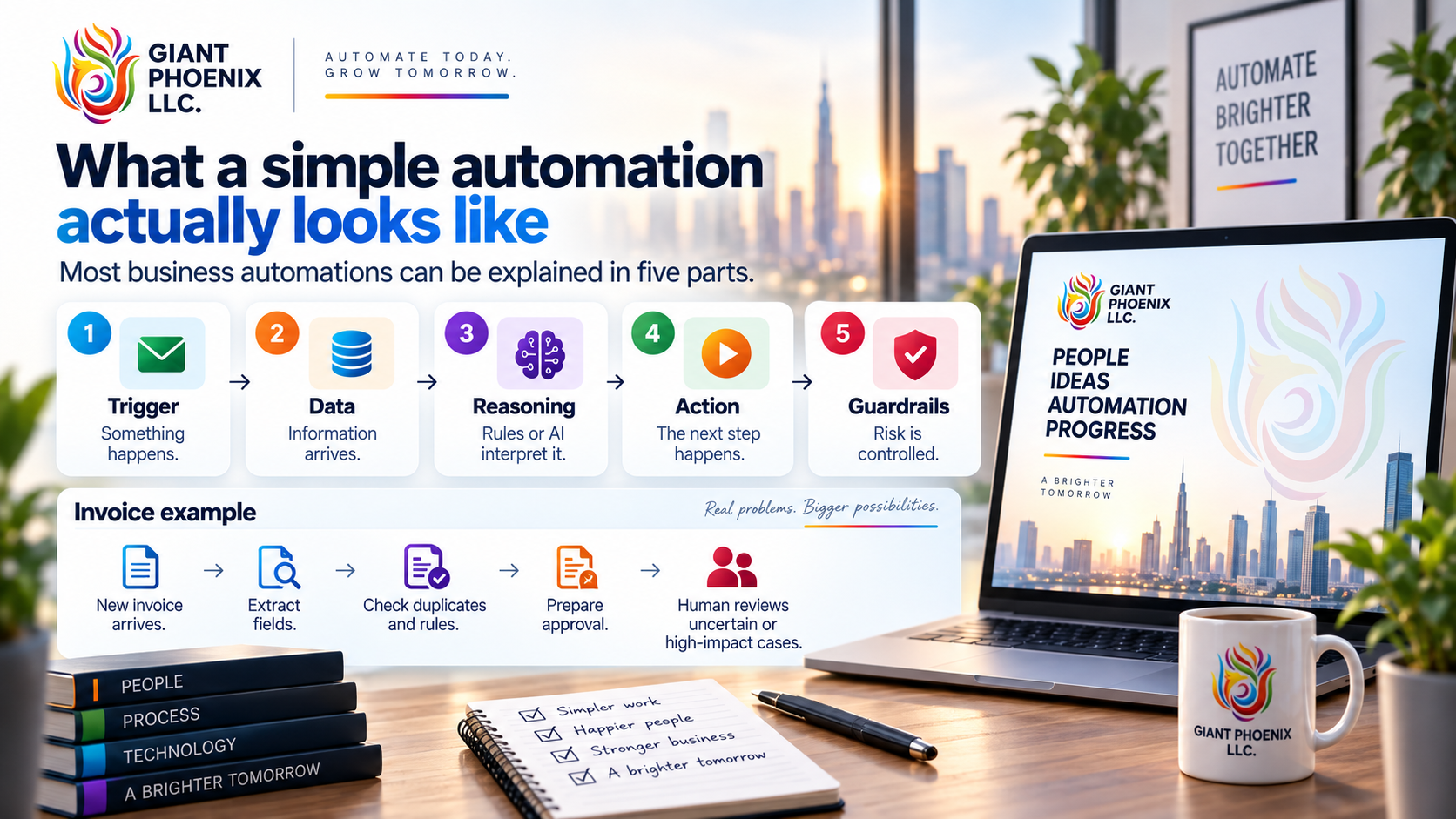
- Trigger — something happens that starts the workflow.
- Data — the system receives or reads information.
- Reasoning — rules or AI interpret that information.
- Action — the system performs the next step.
- Guardrails — checks limit risk and send uncertain cases to a person.
Take invoice processing as an example. A new invoice arrives in a shared inbox. The system tries to extract the vendor name, invoice number, line items, total, and due date. If something is missing or the system is not confident, it sends the invoice for review rather than pretending the result is correct.
The workflow can then check whether the vendor is known, whether the invoice looks like a duplicate, and whether the amount is within expected limits. If those checks pass, it can prepare the accounting entry or route the invoice to the correct approval queue.
The important part is what happens next. I would not allow a first automation to post a high-impact financial transaction simply because an AI model produced an answer. A person should review and approve the result where the risk justifies it.
That is human-in-the-loop automation in plain English: the system does the repetitive work, while a person keeps control of the decisions that matter.
NIST's AI Risk Management Framework recommends this kind of oversight through clear responsibilities, monitoring, and the ability to stop or override a system when it produces an unsuitable result.
A simple example: three workflows, one better starting point
Imagine a 40-person services company looking at three possible projects: customer onboarding, weekly sales reporting, and overdue-invoice follow-up.
Customer onboarding initially gets the most attention because it is visible and important. But visibility alone does not make it the best first automation.
Stage 1: Which workflows are suitable?
| Workflow | Repetitive | Clear steps | Enough volume/value | Costly when delayed or wrong | View |
|---|---|---|---|---|---|
| Customer onboarding | Yes | Partly | Yes | Moderate | Borderline |
| Weekly sales report | Yes | Yes | Yes | Medium | Strong candidate |
| Overdue-invoice follow-up | Yes | Mostly | Yes | High | Strong candidate |
Customer onboarding contains more variation and judgement. The weekly sales report is more standardised. Invoice follow-up is also promising, although disputed invoices, unusual customers, and sensitive communications should still be handled by a person.
Stage 2: Which one has the most business value?
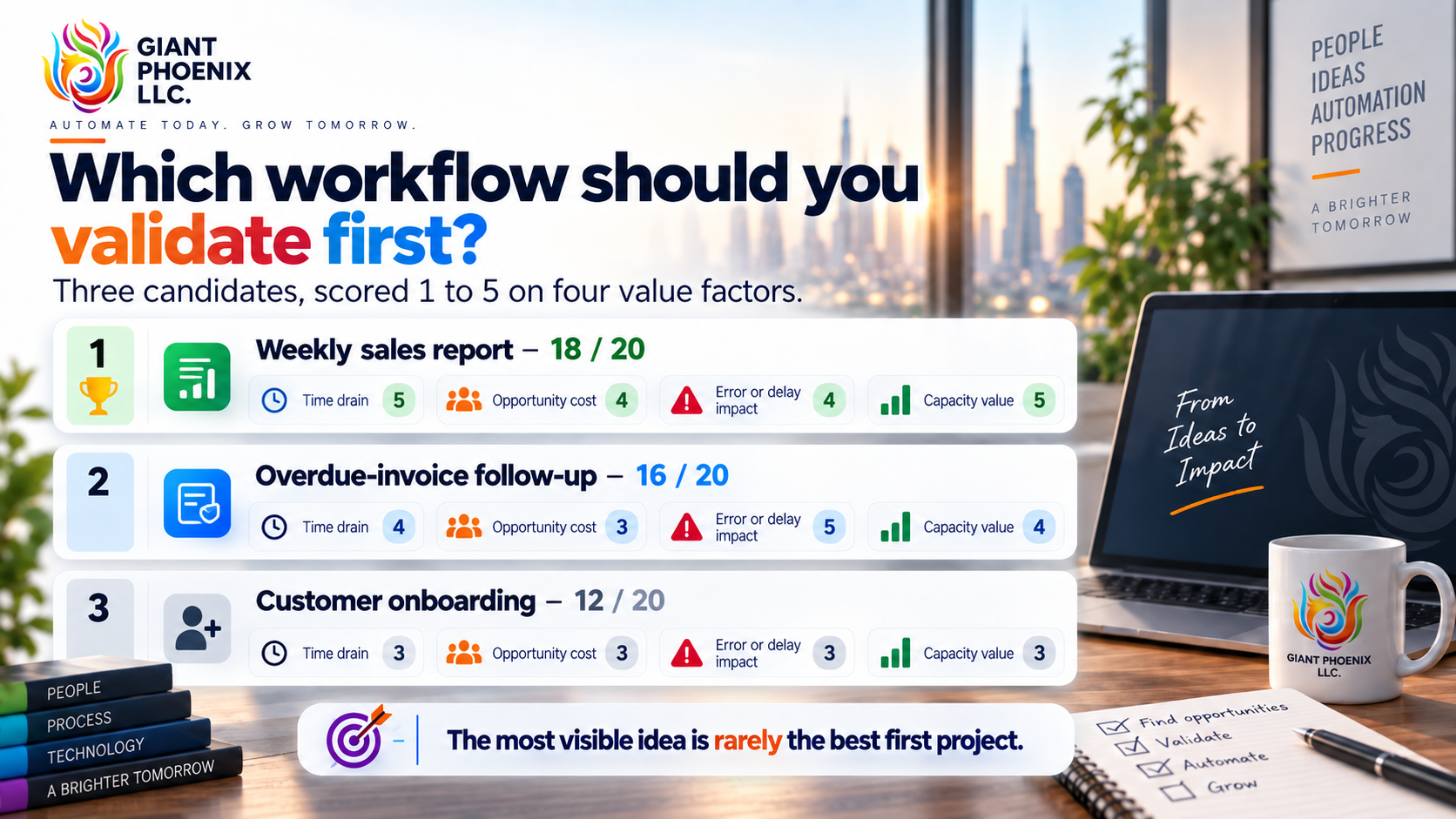
| Workflow | Time drain | Opportunity cost | Error/delay impact | Capacity value | Total |
|---|---|---|---|---|---|
| Customer onboarding | 3 | 3 | 3 | 3 | 12 |
| Weekly sales report | 5 | 4 | 4 | 5 | 18 |
| Overdue-invoice follow-up | 4 | 3 | 5 | 4 | 16 |
The weekly sales report comes out on top, so it becomes the first candidate to validate. If the report pulls from stable systems, follows agreed reporting definitions, and takes several hours every week, it could be a sensible first project.
The important point is not that the score makes the decision for you. It prevents the most visible idea from automatically becoming the first project.
What I would not automate first
Some workflows need fixing before they need automation. I would be cautious if the process changes every time, nobody can explain the current steps, the source data is unreliable, or there is no agreement on what a correct result looks like.
The same applies when a workflow contains high-impact decisions but no sensible review point, or when nobody is willing to own the process after launch. If you cannot measure the current performance, it will also be difficult to prove that the automation helped.
In those cases, the right first step may be process redesign, clearer policies, or better data rather than automation. Automation can make a good process faster, but it can also make a poor process fail faster.
How I think about value
People often reduce automation ROI to hours saved. Time matters, but it is only part of the picture.
I normally look at three areas: time, consistency, and capacity. Time is the effort the team spends on the workflow today. Consistency is the value of reducing missed steps, late follow-ups, and avoidable mistakes. Capacity is the additional work the team can handle without increasing manual effort at the same rate.
For a rough labour-value estimate, you can start with:
Weekly hours involved × fully loaded hourly cost × 52
Then compare the expected value with the cost of implementation, software, monitoring, maintenance, training, and human review.
This is only an estimate. Reclaimed time does not automatically mean reduced payroll. A founder might use those hours for sales, a support person might spend more time on difficult customers, and a finance manager might focus on cash flow rather than copying information between systems. That is still real business value.
Give the automation an owner
One question I always want answered before launch is: who owns this once it is running?
Automations do not remain healthy simply because they worked on day one. Passwords expire, APIs change, data formats change, permissions are updated, and people start using systems differently.
A named owner should know what normal performance looks like, review exceptions, check connected systems when something changes, and coordinate fixes when necessary. RAND's research into AI-project failures found that many of the problems described by experienced practitioners were organisational rather than purely technical: poor understanding of the business problem, weak data, chasing technology instead of user needs, inadequate infrastructure, and attempting tasks the technology was not ready to handle.
That is another reason I start with the business problem rather than the AI tool.
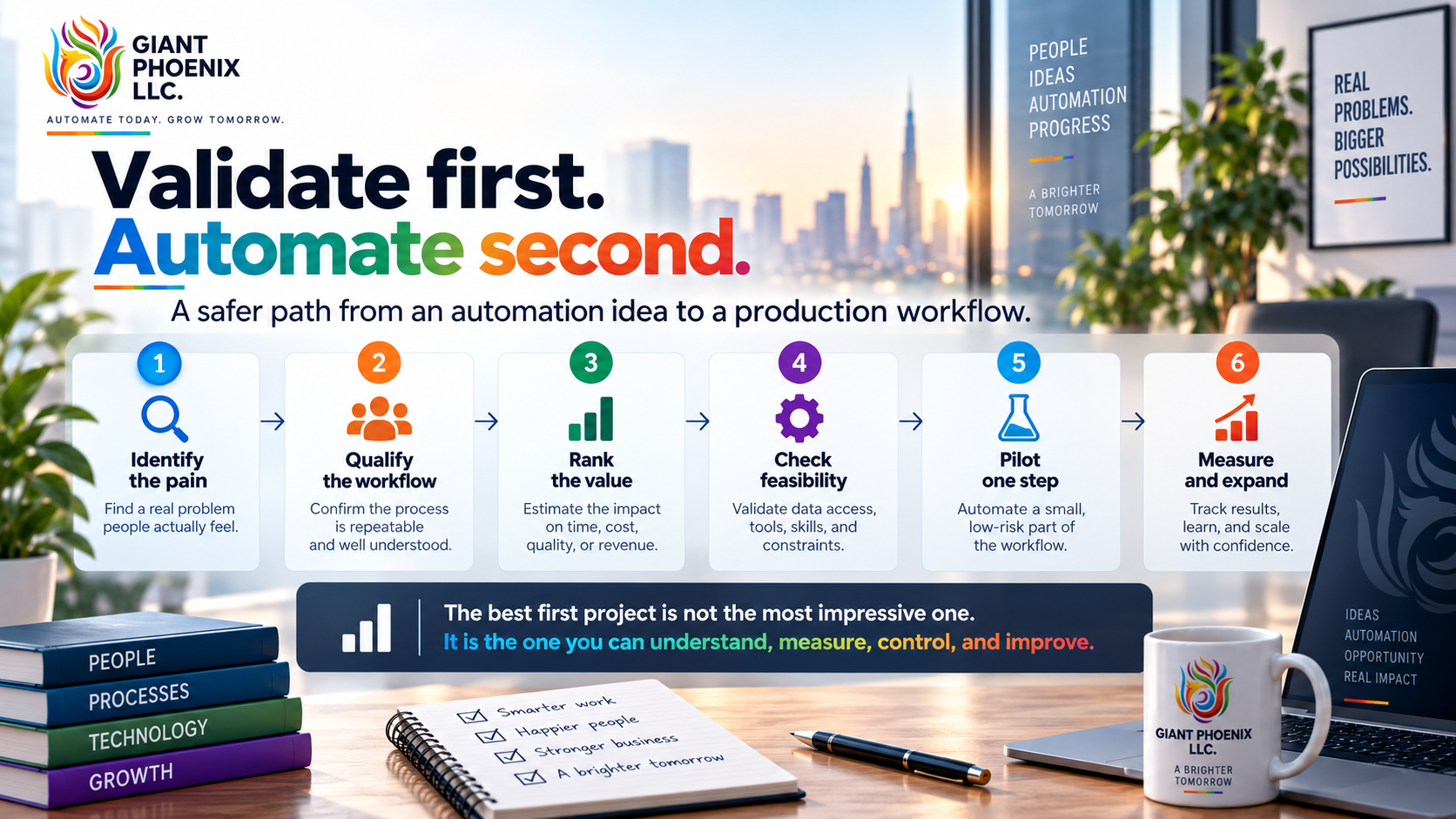
What should you do next?
Take 15 minutes and write down the manual or repetitive workflows that create frustration in your business. Use the four Stage 1 signals to identify the strongest candidates, then compare those candidates using the four Stage 2 value factors.
For the highest-scoring workflow, check the data, systems, exceptions, owner, risks, and current baseline before deciding what to build. That is a much safer way to choose a first automation than starting with whichever AI tool happens to be popular this month.
If you already have a workflow in mind, you can run it through the Free Automation Opportunity Assessment at Giant Phoenix. It is designed to help you think through the workflow's fit, value, risk, and sensible next step before you invest in implementation.
Please do not enter confidential customer, employee, financial, medical, legal, or proprietary information into the assessment.
If the opportunity still looks promising after validation, the next step is not to automate everything. It is to build the smallest version that can prove whether the idea creates value.
Jayakarthikeyan Govindarajalu is an AI & Automation Consultant at Giant Phoenix LLC. He helps founders find and ship their first high-value automation before adding headcount.
Sources and further reading
- McKinsey — The State of AI: Global Survey 2026
- PwC — 28th CEO Survey: UAE Findings, 2025
- OECD — How Is Generative AI Impacting SMEs' Skill and Labour Needs?
- Intuit QuickBooks — Survey Reveals Small Businesses Are Using AI to Boost Productivity, April 2025
- RAND — The Root Causes of Failure for Artificial Intelligence Projects and How They Can Succeed
- NIST — Artificial Intelligence Risk Management Framework, 2023
Free Automation Opportunity Assessment
Eighteen short questions and a written assessment, sent to your inbox — including when the honest answer is not to automate yet.